Questions? You’ve come to the right place.

Whether you’re brand new to Journee or moments from taking off, our FAQs have got you covered. Browse or search below.

How can I add the Journee app to my home screen?

Introduction to Journee

How can I add the Journee app to my home screen?

Last updated on 26 Mar, 2026

Scroll for Android instructions.

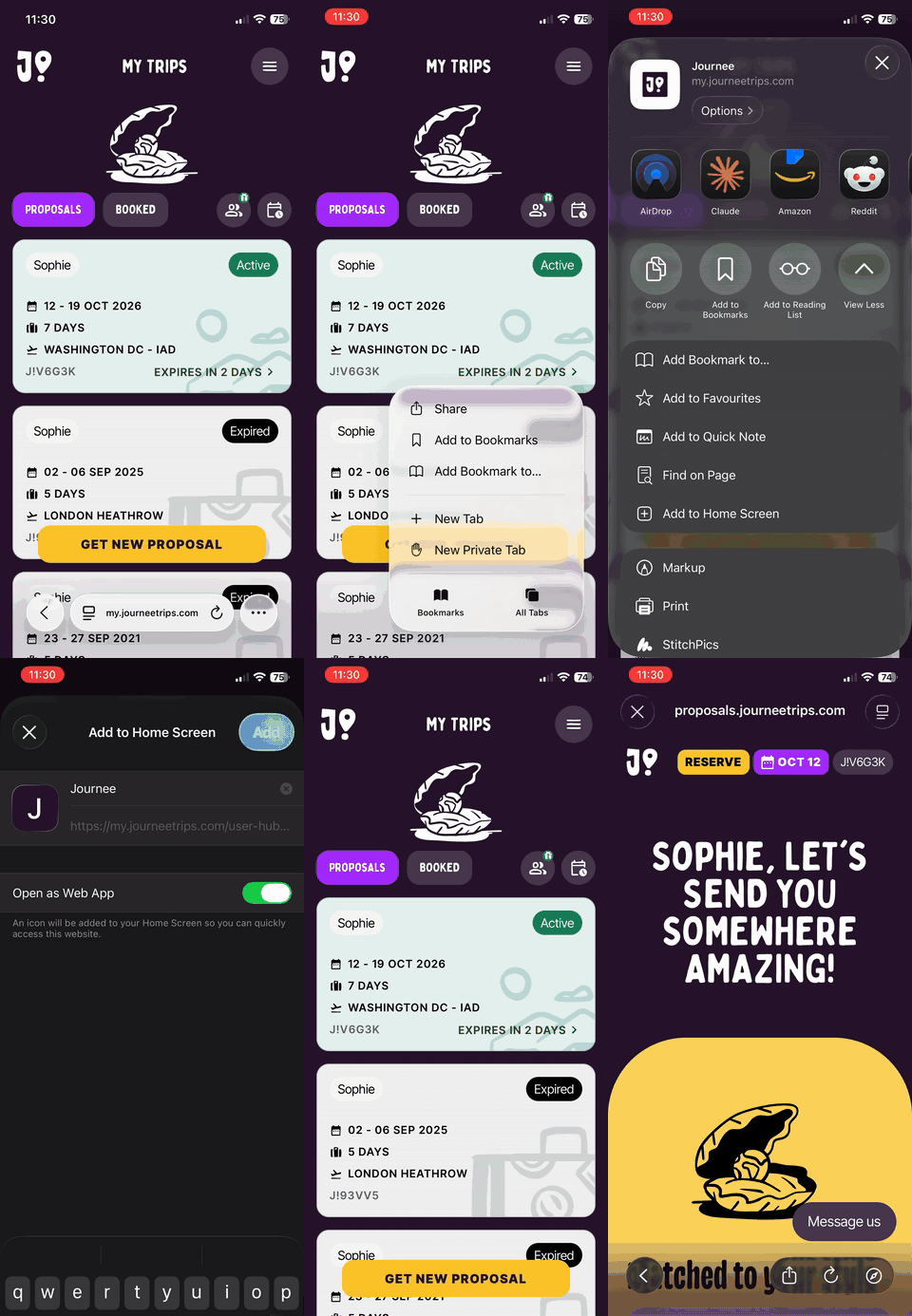
Safari on iOS

  1. Tap to open the app > Journee app

  2. Login if needed

  3. Tap the three dots at the bottom right of the screen

  4. Tap Share

  5. Tap View More (with the downward arrow)

  6. Tap Add to Home Screen

journee_app_safari_ios.gif
Safari on iOS

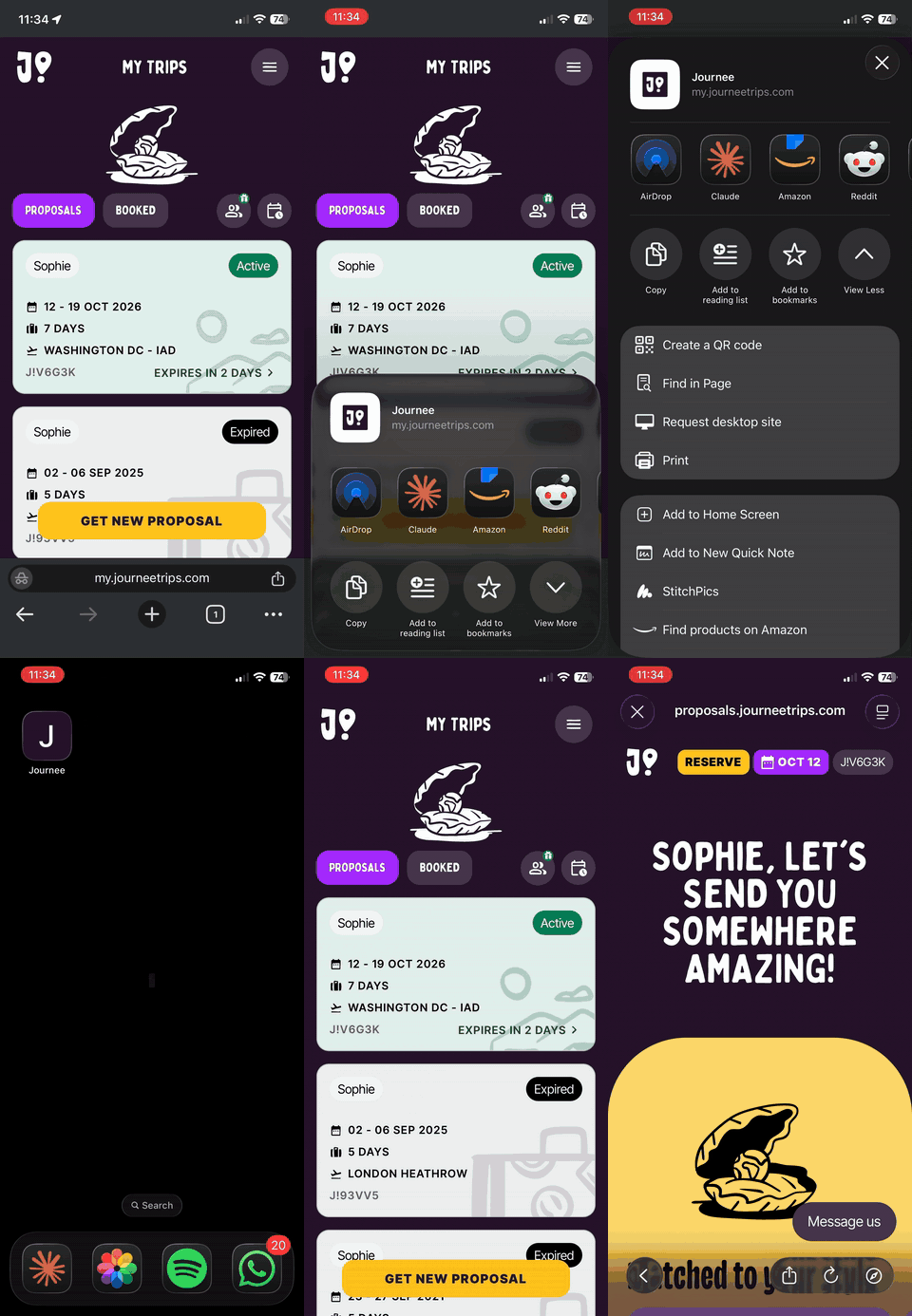
Chrome on iOS

  1. Tap to open the app > Journee app

  2. Login if needed

  3. Tap the Share icon at the bottom right of the screen (the box with an upward-pointing arrow)

  4. Tap View More (with the downward arrow)

  5. Tap Add to Home Screen

journee_app_chrome_ios.gif
Chrome on iOS

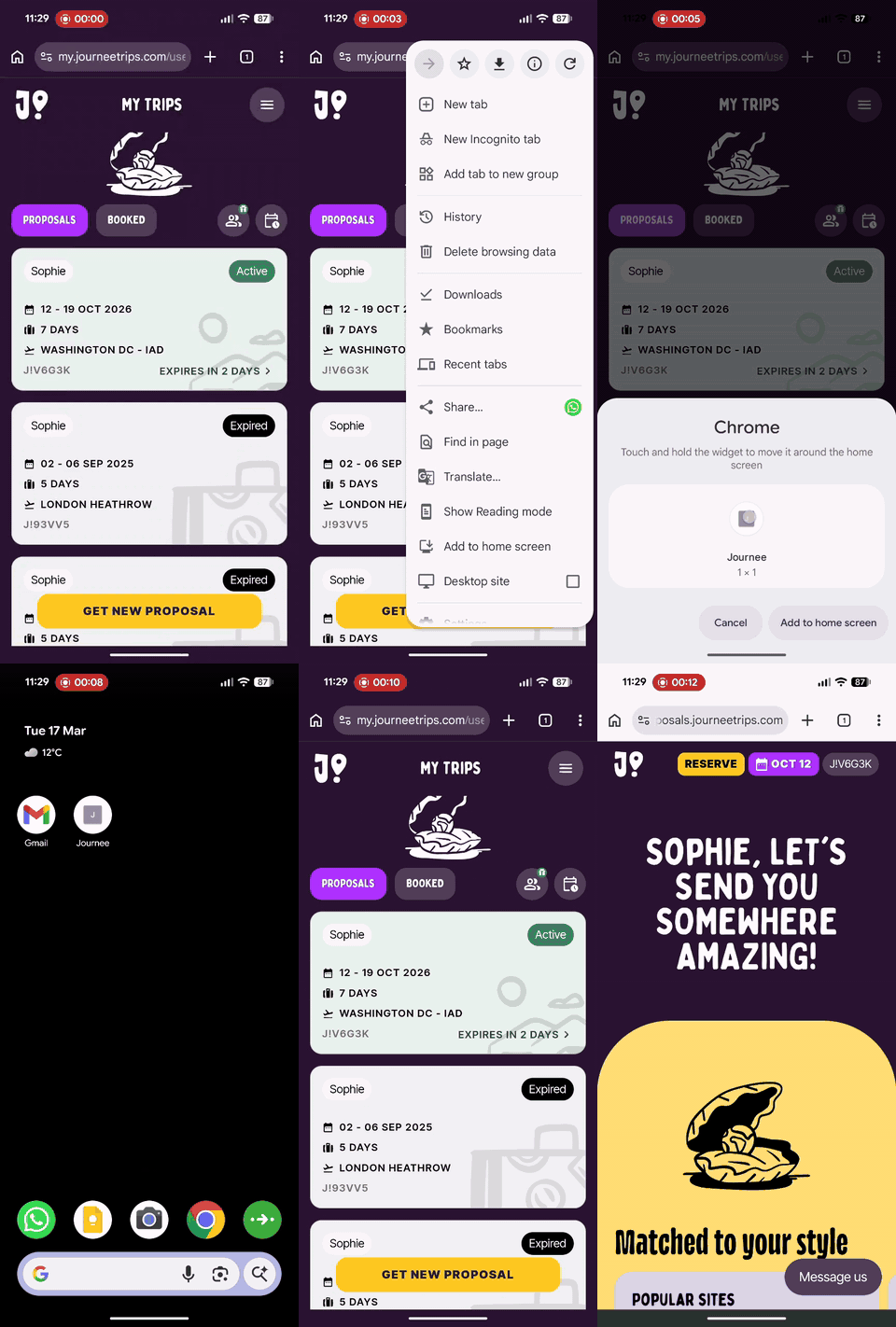
Chrome on Android

  1. Tap to open the app > Journee app

  2. Login if needed

  3. Tap the three dots in the top right of the screen

  4. Tap Add to Home Screen

journee_app_chrome_android.gif
Chrome on Android

Did you find this answer helpful?
Previous

Surprise Destinations

Next