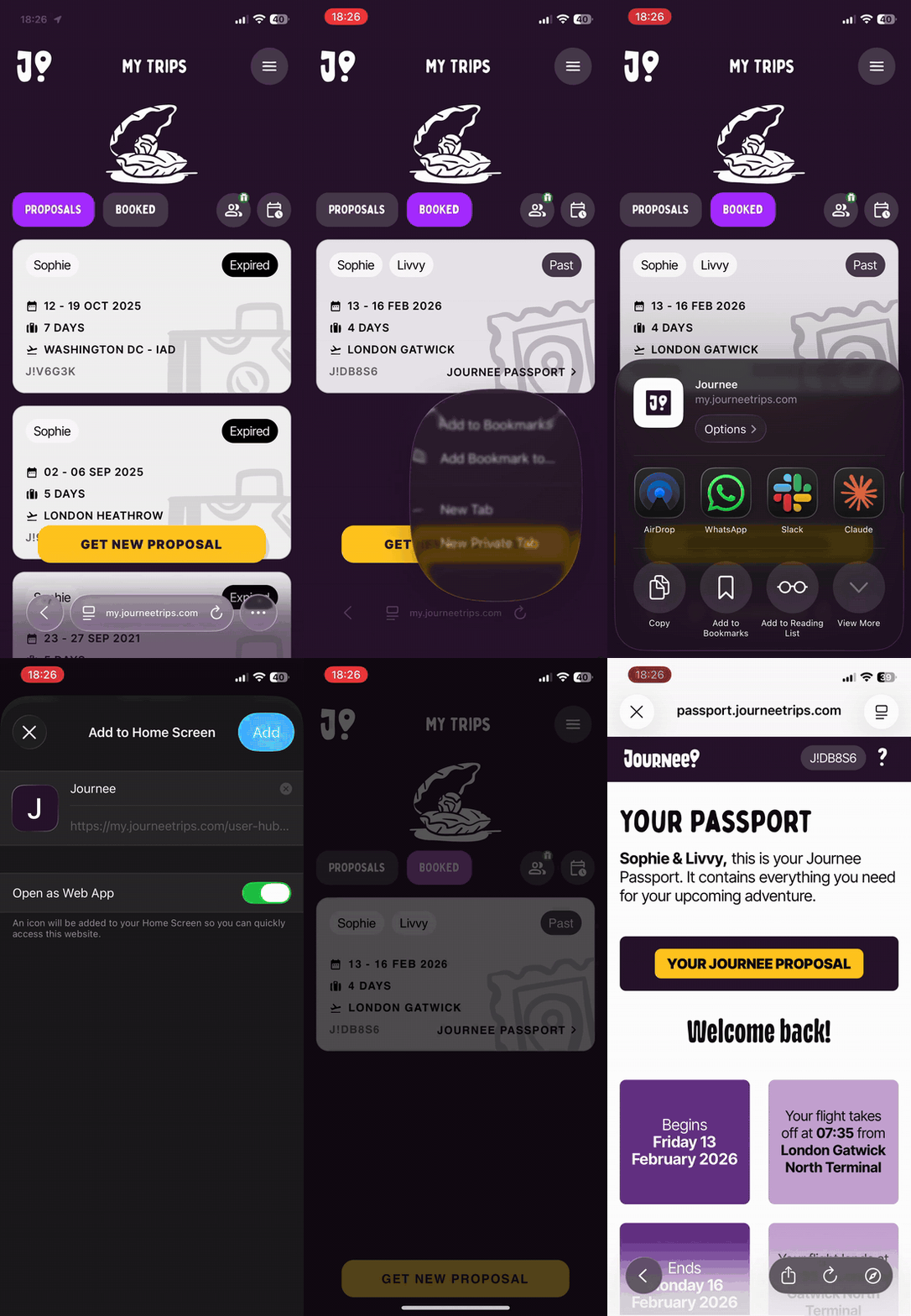

Safari
Open the Journee app in Safari
Tap BOOKED to view your upcoming trip
Tap the three dots at the bottom right of the screen
Tap Share
Tap View More (with the downward arrow)
Tap Add to Home Screen
Chrome
Open the Journee app in Chrome
Tap BOOKED to view your upcoming trip
Tap the Share icon at the bottom right of the screen (the box with an upward-pointing arrow)
Tap View More (with the downward arrow)
Tap Add to Home Screen