
Chrome
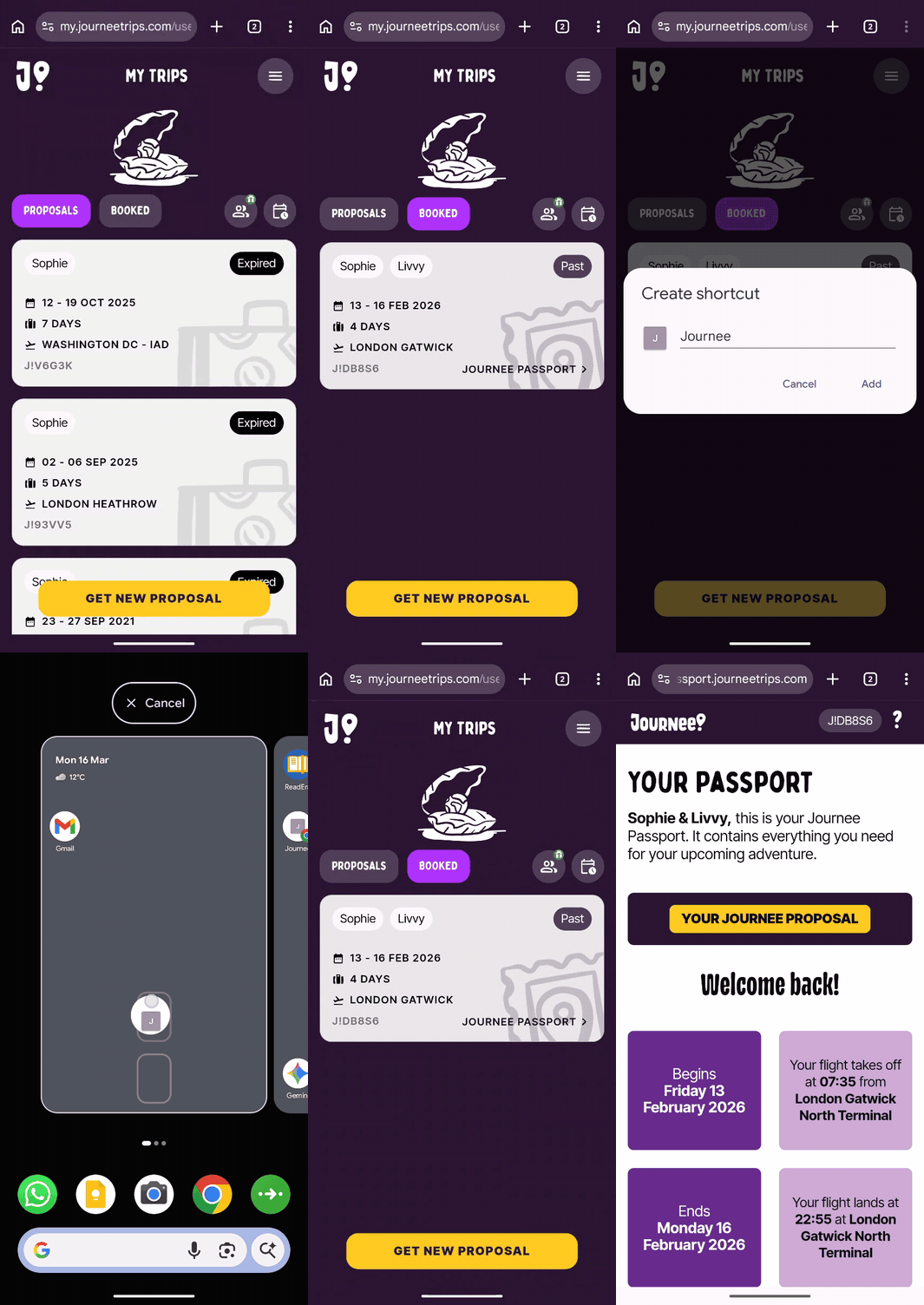
Open the Journee app in Chrome
Tap BOOKED to view your upcoming trip
Tap the three dots in the top right of the screen
Tap Add to Home Screen

Questions? You’ve come to the right place.
Whether you’re brand new to Journee or moments from taking off, our FAQs have got you covered. Browse or search below.
Once You've Booked
Last updated on 16 Mar, 2026
Chrome
Open the Journee app in Chrome
Tap BOOKED to view your upcoming trip
Tap the three dots in the top right of the screen
Tap Add to Home Screen